•A Shotbox is the third form of Playback Provider next to Sequence and Playlist
•...and the quickest way to cast content onto your output screens
• ... with just one drag and one click.
Imagine a Playback Provider that is neither Sequence nor Playlist but more so resembles a sampling pad or a StreamDeck, where content is put in little boxes that play back the instant you tap on them.
Create A Shotbox
Go to MAIN MENU > CREATE > Shotbox
Playing A Shotbox
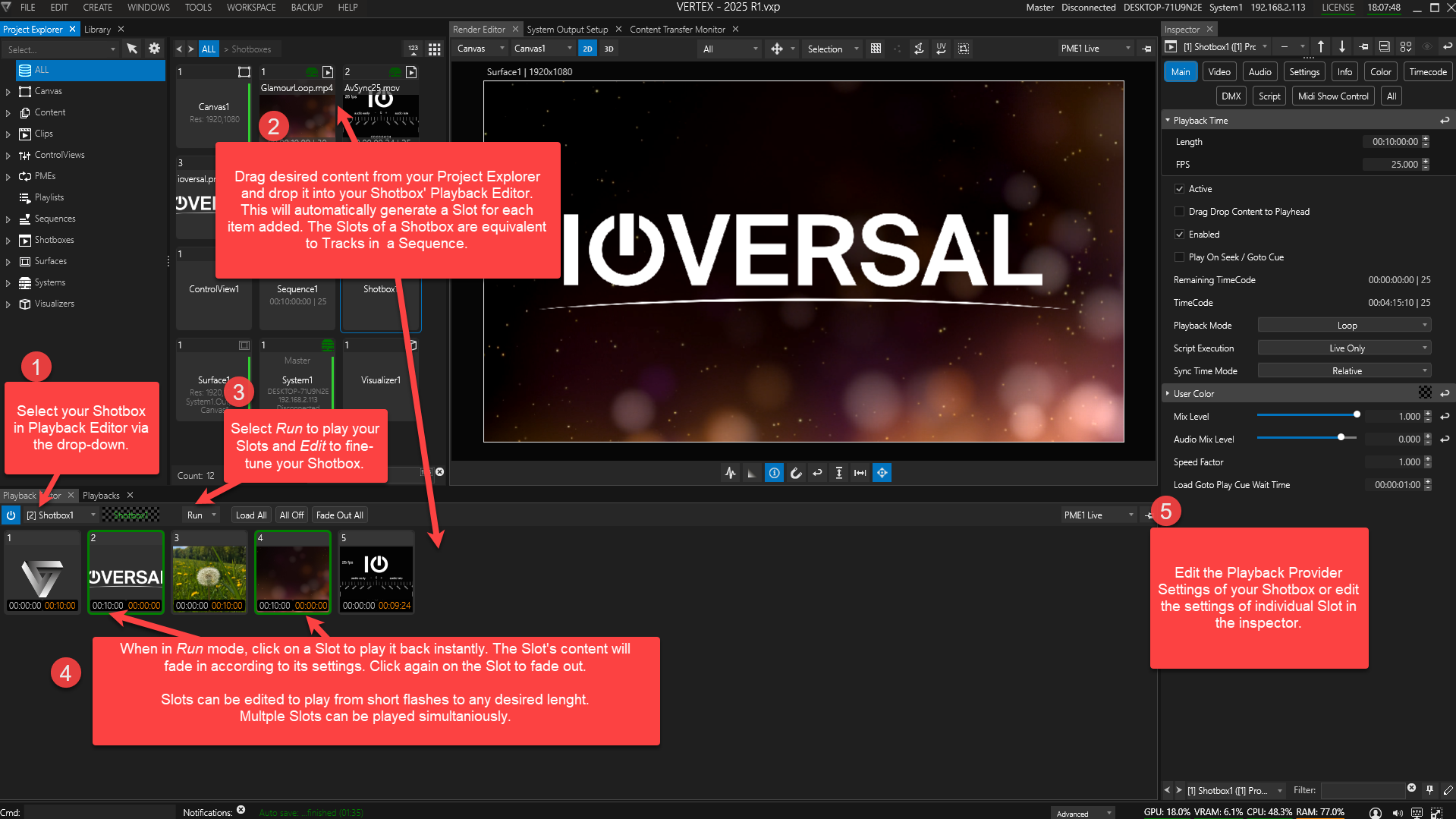
A Shotbox can host any number of track-like Slots.
The Slot, in turn can host one or more ClipContainers.
The timely order in which Slots are triggered affects the sorting of your content on the Z-axis.
E.g. In order to display Slot4 in the background and Slot2 in the foreground, you need to trigger Slot4 first and then Slot2.