•Each Console Layer is able to host Video Content and an Content Item as a Mask.
•With the concept of folder and file IDs you are able to select your content based on a DMX Value between 0 and 255.
•Each Console Layer has a DMX Channel/Address for Content Folder ID and Content File ID (Channels 49/50) and two Channels/Addresses for Mask Content Folder and Mask Content File (Channels 60/61). Please also compare with the full channel map of a console Layer
Example:
•Your Console Layer into VERTEX has DMX Start Address 1 (For universe routing, please read topic DMX-Routing before)
•Your lighting desk has a library element for a VERTEX Console Layer, also on Start Address 1
•you want to select a Content Item from the VERTEX Project Explorer with File ID 5 and Folder ID 2 as Video Content for this Console Layer
•you have to set DMX-channel 49 of your lighting desk to value 2 and DMX channel 50 to value 5
•The content item is selected as video content for the VERTEX Console Layer
Set File and Folder ID
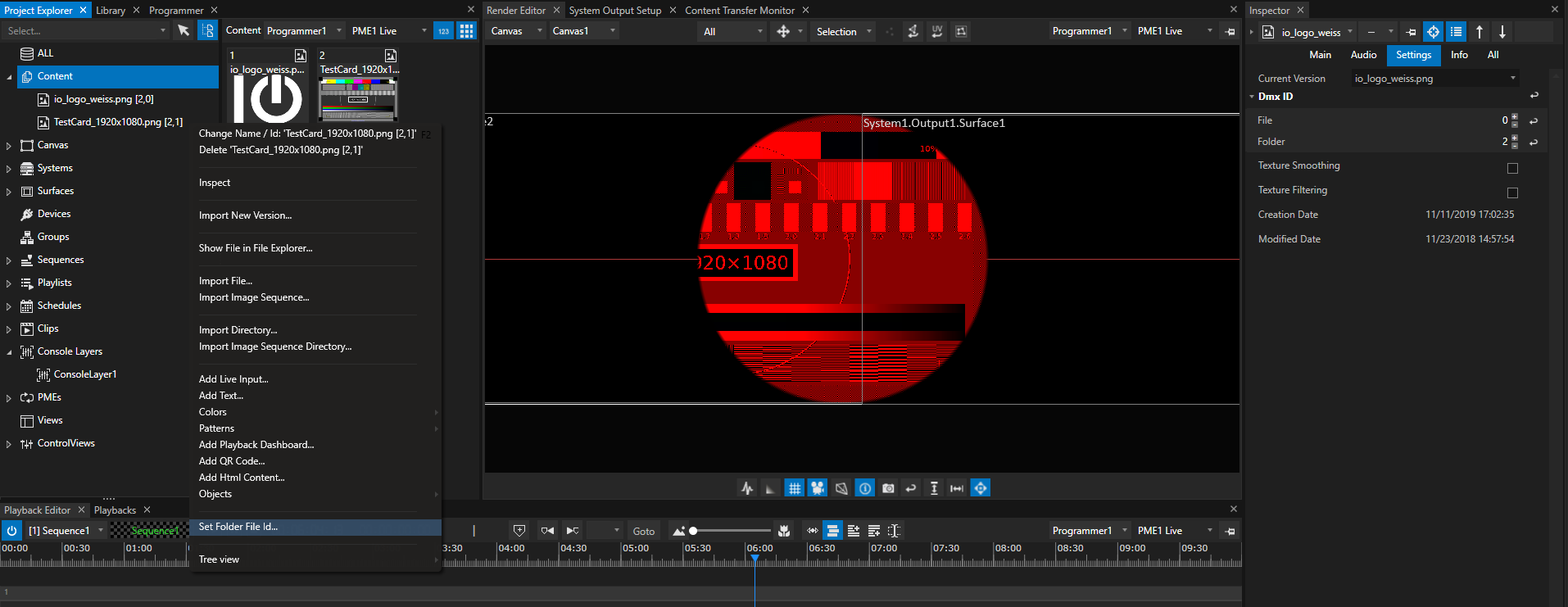
•Select a Content item into Project Explorer and go to the Inspector
•Go to the Tab "Settings" and Select "DMX ID"
•Set File and Folder ID for a Content. Each value has to be into the DMX parameter range from 0 to 255